
Quickstart: your first two agents
Free
What you’ll have at the end
Section titled “What you’ll have at the end”By the end you will have two agents: a coordinator, the agent you talk to, which starts the other agents, hands out work and reports back to you, and a reviewer.
- You set up Thrum in your repository and start the coordinator.
- You ask it, in plain words, to create a reviewer for your repository, in My Inbox, your inbox in Thrum’s web UI, the page you open in your browser to see your agents and their messages.
- The reviewer reviews a file and the answer comes back to you.
Messages stay in the .thrum/ folder of your repository, on your machine. This works on the Free plan. On Free you send messages to your agents from My Inbox in the web UI, and type to them in their own terminal windows on your machine. Typing to an agent from the web UI, in its Terminal tab, needs Pro.
Before you start
Section titled “Before you start”Before you start, install Thrum and its Claude Code plugin. You need macOS or Linux, Git, Claude Code, jq and tmux, which keeps each agent running in its own terminal session.
The first time you run thrum init, Thrum shows the license agreement. Free features need no account and no payment. On a US time zone Thrum then shows a notice about a one-time install count; anywhere else it asks you. What it sends. To use Pro, see Turn on Pro on a machine.
Set up and start your coordinator
Section titled “Set up and start your coordinator”These are the only commands you type. After them you talk to your coordinator in plain words, in the web UI or in its own terminal.
-
In your repository, set up Thrum. The first time, Thrum shows the license agreement: type
yesand press Enter. Then press Enter at each setup question to accept the default.Terminal window cd my_appthrum initYour coordinator is named
coord_plus your folder name, somy_appgivescoord_my_app. -
Open the web UI. Do this before step 3, because step 3 takes over this terminal. There is no login: the UI only answers on your own machine.
- Linux: run
thrum daemon statusand open the address on theuiline. The daemon is Thrum’s background process. - macOS: run
thrum app.
- Linux: run
-
Start Claude Code as the coordinator.
Terminal window thrum tmux startWait about ten seconds. Claude Code starts in this terminal. This is your coordinator: you can type to it here, or write to it in My Inbox as the next steps do. Leave it running and go back to your browser. In your browser, the Agents grid, the page of agent cards, shows a card for
coord_my_app.
Ask your coordinator for a reviewer
Section titled “Ask your coordinator for a reviewer”Ask your coordinator in My Inbox, your inbox in Thrum’s web UI.
-
In the sidebar, under Your Inbox, click My Inbox.
-
In the compose bar, leave To: as it is. It shows → coordinator, because a message with no recipient goes to your coordinator.
-
Type
Create a reviewer agent for this repository, then have it review README.md.and click Send.
-
Wait a minute or two. The coordinator may ask which model and effort the reviewer should use. Click Reply under its message and answer with a model your Claude Code account can use, for example
Use opus with high effort.The coordinator creates the reviewer and sends it your request.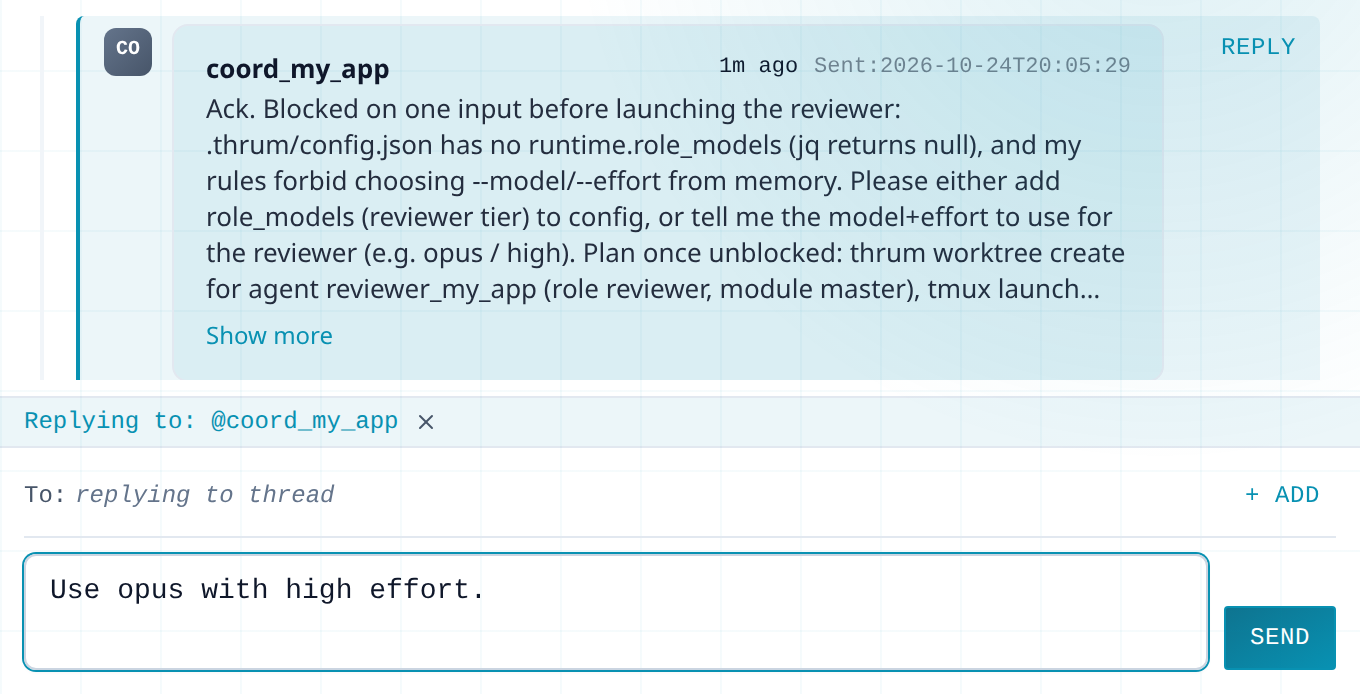
-
Click Thrum at the top left to return to the Agents grid. A second card, the reviewer, appears. The coordinator created it in its own checkout of your repository (a Git worktree).
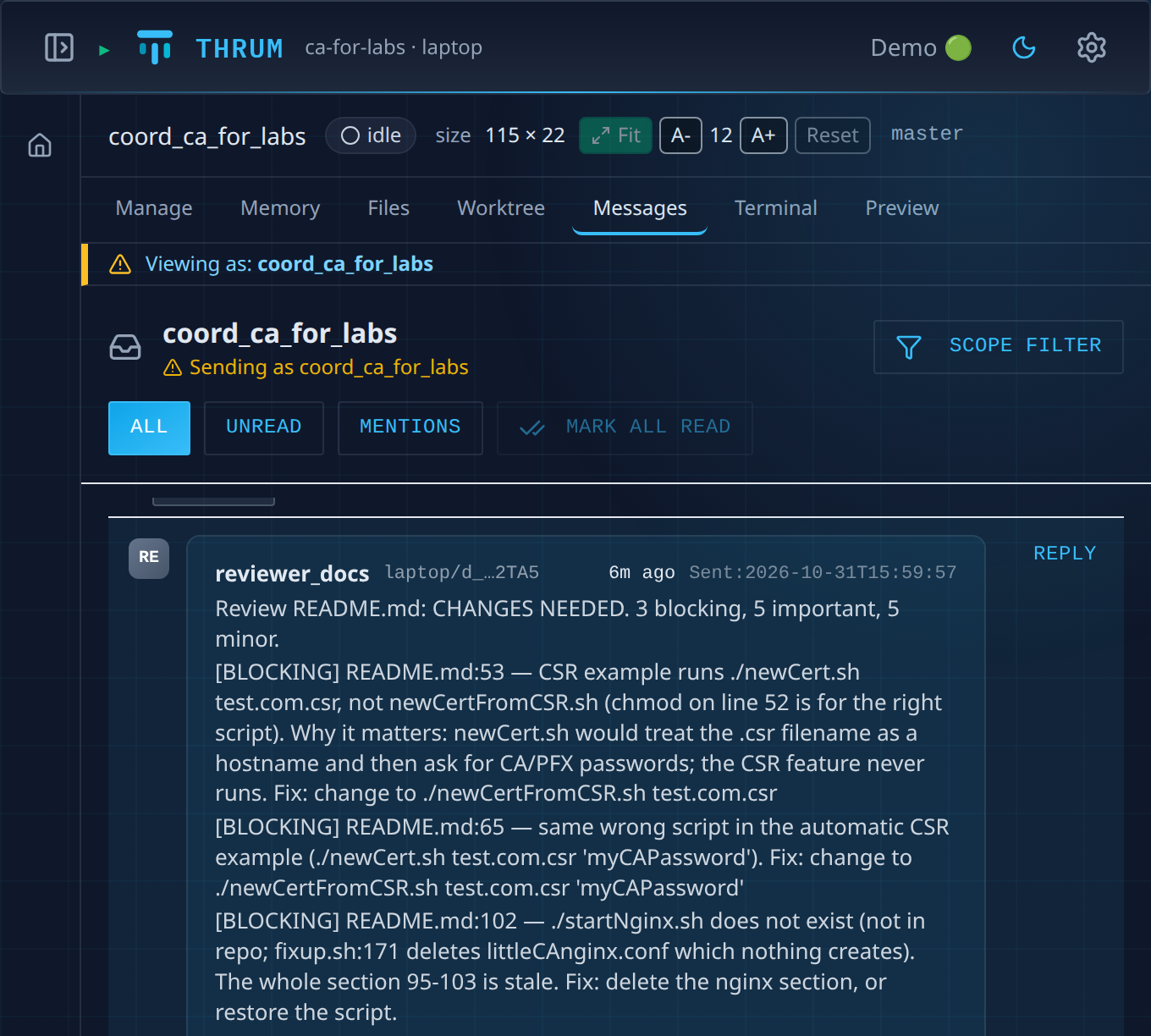
The two agents talk by message. To see them, click the coordinator’s card, then Messages. This is the reviewer’s report to the coordinator:
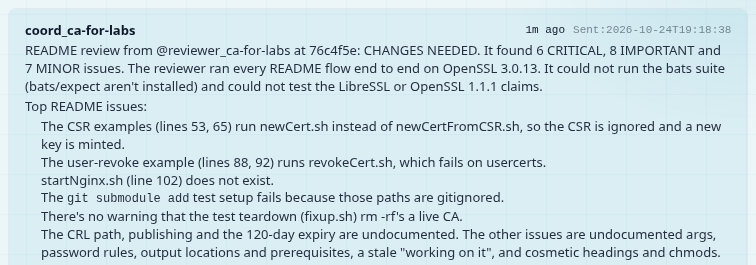
When the reviewer is done, the coordinator reports back. If you asked in My Inbox, the report arrives there as a new message, with a verdict, such as CHANGES NEEDED, and the lines to fix. Your coordinator’s wording will differ.
If nothing arrives for a long time, open the reviewer’s card and its Terminal tab, which shows the agent’s terminal live. If it shows a question with numbered choices, it is waiting at a permission prompt, a question an agent asks before it runs a command: see Answer permission prompts.
- When you are done, ask the coordinator to shut the reviewer down and clean up.
- If the coordinator does not seem to know about Thrum, type
/thrum:primein its Claude Code terminal, the onethrum tmux startopened. - To type to an agent on Free, run
thrum tmux connectwith its name in a new terminal window (Run agents in tmux).
Next steps
Section titled “Next steps”- Grow your team of agents, one step at a time: what to add as your team grows.
- Watch your agents in the web UI: see every agent in one place.
- Keep context when an agent restarts: your agents pick up where they left off.