
Message your agents
Free and Pro
Your coordinator is the agent you talk to, which starts the other agents, hands out work and reports back to you. Thrum’s web UI is the page you open in your browser to see your agents and their messages. You talk to your coordinator (the agent that starts and runs your other agents) in its own terminal or in the Thrum web UI, and it passes your request to the right agent. Your coordinator answers what it can and brings you the questions that need your decision. You answer once, and the answer goes back to the agent that asked.
What it looks like
Section titled “What it looks like”This is an example conversation. A worktree is a separate checkout of your repository on its own branch. impl_codex is an implementer, an agent that builds a change in its own worktree. Your coordinator started it earlier. Your coordinator’s wording will differ.
You: Ask impl_codex to add a regression test for the expired-token bug.Coordinator: Sent to impl_codex. I will pass on its answer.Coordinator: impl_codex has a question: should an expired token return a 401 error or redirect to the login page? The API has no login page, so I would pick 401. This one is your call.You: 401.Coordinator: Passed on to impl_codex. It is writing the test now.In the web UI there are two places to read:
- My Inbox is your inbox in Thrum’s web UI. My Inbox: the messages you send and the messages sent to you. It is titled with your user name (your Git name, for example
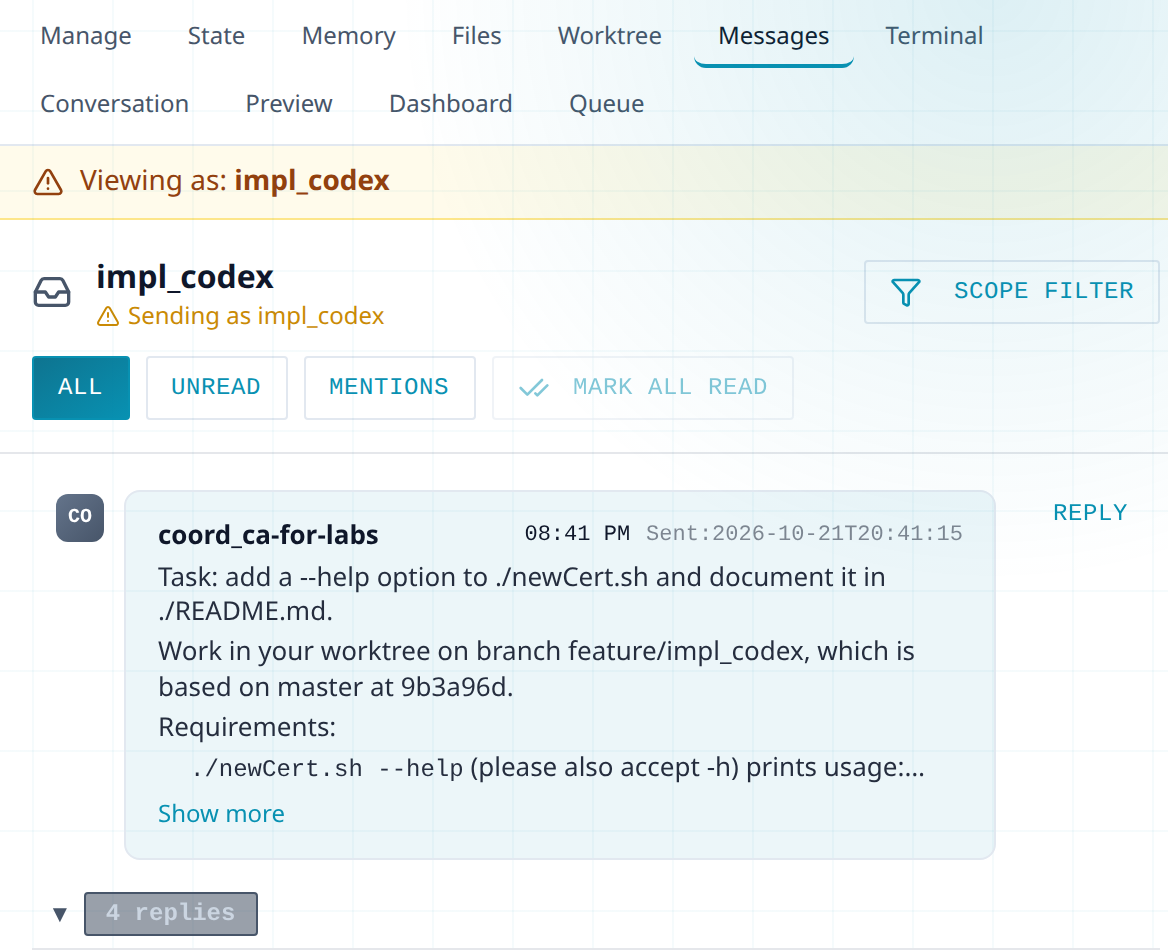
leon-letto). Mark all read clears the unread count. - An agent’s Messages tab: what that agent sends and receives. Click the agent’s card, then Messages. The header reads Viewing as: impl_codex.
Your inbox. The request is only an example:
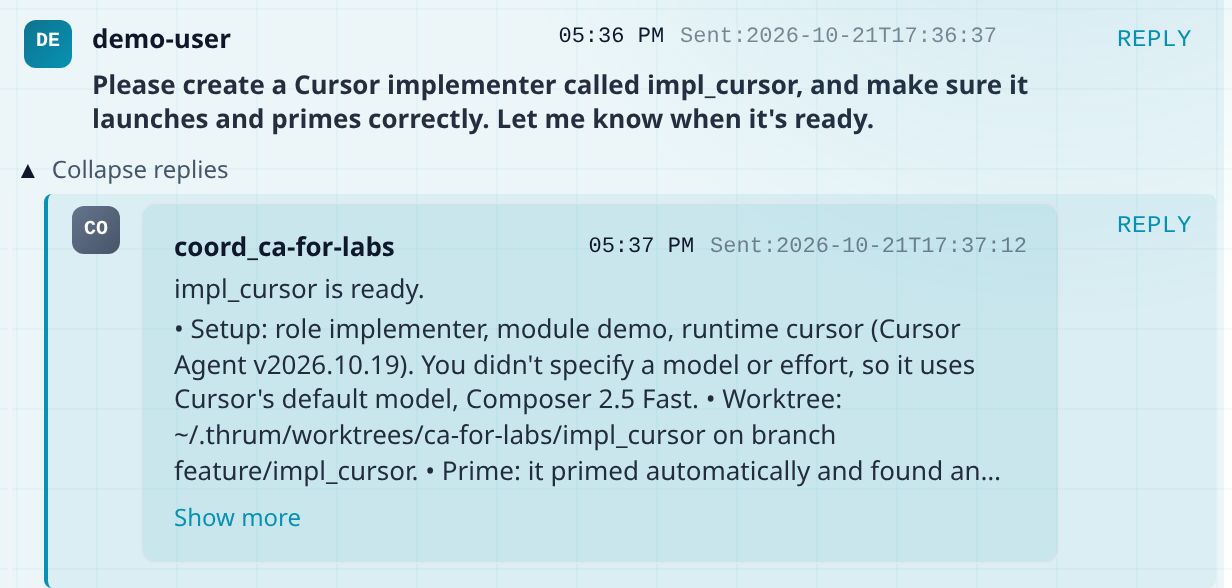
A message with replies shows a toggle that reads 1 reply, or 2 replies and so on. Click it to open the replies; it then reads Collapse replies. Each message has a Reply button.
An agent’s Messages tab. The task content is only an example:
How to use it
Section titled “How to use it”You need a running coordinator and the web UI. The quickstart sets up both.
- Open the Thrum web UI. If you do not have its address yet, the quickstart shows how.
- In the sidebar, under Your Inbox, click My Inbox.
- In the compose bar, leave To: as → coordinator. Type your request and click Send. To try it, send
Say hello and list the agents that are running.To write to one agent instead, click + Add and pick it, or type@and its name. - Read the answer in My Inbox. A reply appears and the Unread count goes up by one. Click a message to mark it read. If nothing arrives, open the coordinator’s card on the Agents grid and read its Terminal tab.
- To answer, click Reply on the message, type, and click Send. The compose bar shows Replying to: and the sender’s name.
How a message travels
Section titled “How a message travels”- A message with no recipient goes to your coordinator. If Thrum finds no coordinator, or more than one, Send fails and asks you to pick a recipient with + Add.
- A reply goes back to the thread you replied to.
- tmux keeps each agent running in its own terminal session. Every agent your coordinator starts runs in tmux. The agent sees a one-line notice in its terminal that a message has arrived, and then reads the message by itself. You don’t type anything.
- Conversations (Pro), under Your Inbox, shows each agent you have talked to as a chat. On Free, use My Inbox instead.
- Activity Feed in the sidebar lists agent messages, session events and registrations. Click a row to open that agent.
Free and Pro
Section titled “Free and Pro”Everything on this page works on Free except two things that need Pro: the Conversations page and typing into an agent’s Terminal tab. Watching the Terminal tab of an agent on this machine is Free.
On Free, you write to your coordinator, or to one agent, in My Inbox, read every reply there and read the Activity Feed. To talk to an agent directly, type to it in its own terminal (run thrum tmux connect and pick the agent). You can also ask your coordinator to pass a message on. Agents message each other on every plan.
Next steps
Section titled “Next steps”- Plan with a coordinator, build with an implementer: the whole loop from request to review.
- Keep context when an agent restarts: an agent that restarts still knows its messages and its task.
- Quickstart: your first two agents: set up Thrum and send your first request.