
Recommended tools: Beads UI and Playwright CLI
Free
Two separate tools make a Thrum team of agents easier to watch and to check. Beads UI shows the tasks your agents work on in a browser. Playwright CLI lets an agent open a web page and look at it. Your coordinator installs both when you ask, and neither is part of Thrum. Your coordinator is the agent you talk to, which starts the other agents, hands out work and reports back to you. You can skip both. Beads UI lets you watch tasks move as agents claim and close them, without asking your coordinator for a list. Playwright CLI lets an agent open your page, check how it looks and send you a screenshot. Depending on how you set it up, your coordinator may ask you to confirm before it installs.
Beads UI
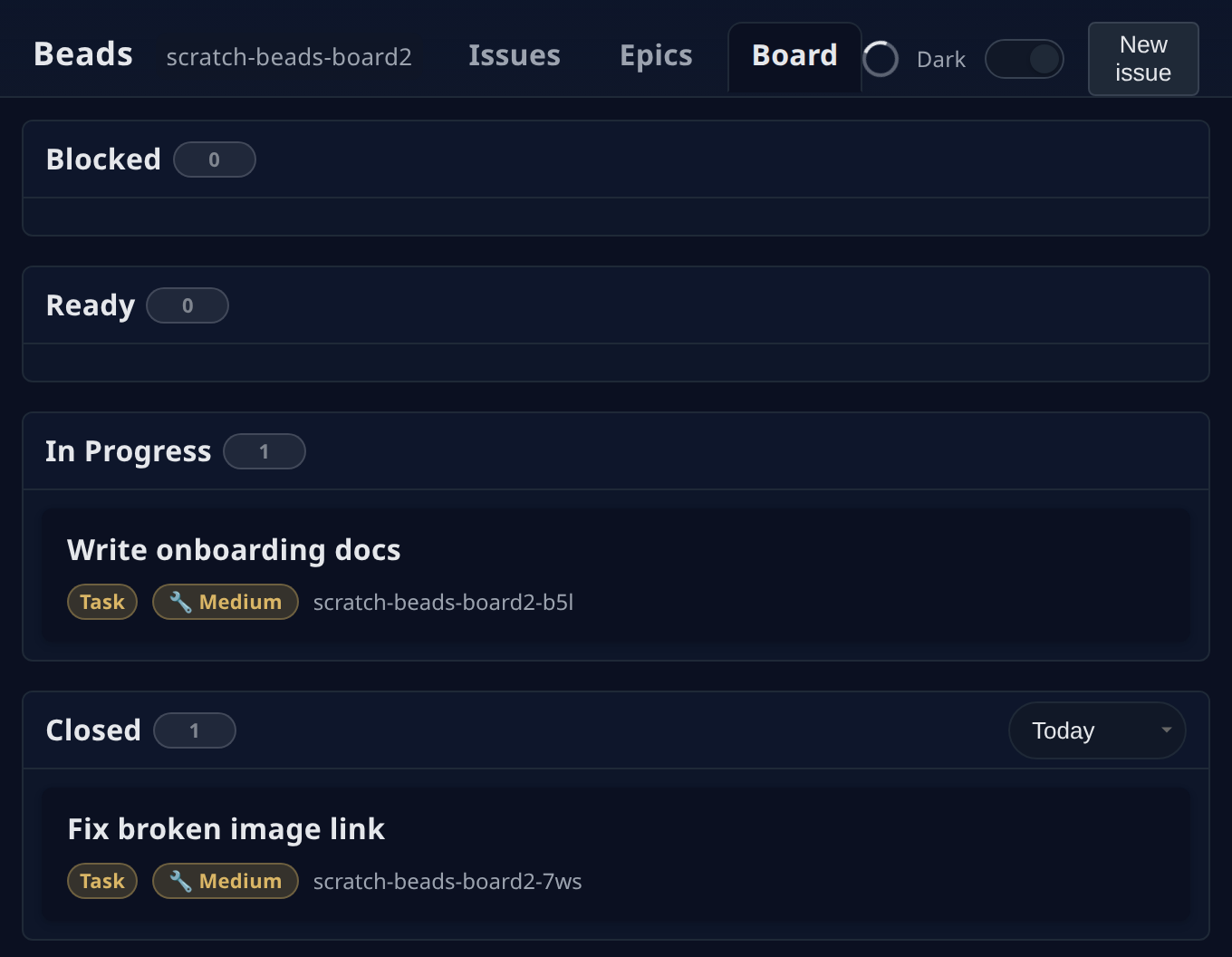
Section titled “Beads UI”Beads UI is a separate web interface for Beads, the task tracker your coordinator uses. It is made by a different author than Beads and Thrum (github.com/mantoni/beads-ui). It runs on your machine, reads your project’s Beads data and updates the page when the data changes. You get three views: Issues (a list you can filter and search), Epics (progress for each epic, a group of related tasks) and Board (the same tasks as columns: Blocked, Ready, In progress and Closed).
Before you start
Section titled “Before you start”-
Beads set up in your repository, with the
bdcommand installed. Track tasks with Beads covers it. -
Node.js 22 or newer. To check, ask your coordinator (in its terminal, or in My Inbox, your inbox in Thrum’s web UI):
Check that Node.js 22 or newer is installed, and install it if not. -
macOS or Linux.
-
Install Beads UI. The package is
beads-uiand the command it adds isbdui. Ask your coordinator:Install Beads UI.If the install fails with a permission error, ask your coordinator:
Install it in a folder I own, such as ~/.local, and make sure ~/.local/bin is on my PATH.(PATHis the list of folders your shell searches for commands.) -
Start it for your project. Ask your coordinator:
Start Beads UI for this project and tell me the address.Open that address in your browser. -
Leave it running while your agents work. For the other options, ask your coordinator:
What options does bdui have?
Check it worked
Section titled “Check it worked”Your browser shows Beads UI with the tasks from your repository. When your coordinator files or closes a task, the page follows the change.
Here is the Board view with one task in progress and one closed. In a narrow window like this one, the columns stack:
The page listens on port 3000 and only on your own machine, unless you set PORT or HOST. Beads UI runs bd commands against your project’s Beads data to fill the page, and it sends the updates to your browser from your own machine. Beads UI installs with npm, which downloads it from the npm registry.
Playwright CLI
Section titled “Playwright CLI”Playwright CLI is a command line browser tool. An agent can open a page, read what is on it, click, and save a screenshot. That helps when an agent changes a web UI and needs to check the result. Your coordinator installs it once, and your agents run its commands.
Before you start
Section titled “Before you start”- Node.js 18 or newer. To check, ask your coordinator:
Check that Node.js 18 or newer is installed, and install it if not. - The agent runtime that will use it, such as Claude Code. A runtime is the AI coding tool an agent runs in, such as Claude Code or Codex. See Use Thrum with Claude Code.
-
Install the command. Ask your coordinator:
Install Playwright CLI.If npm cannot write to its global folder, ask for the same user-local prefix as for Beads UI above.
-
Check that the command runs. Ask your coordinator:
Does Playwright CLI run? Tell me its version. -
Install its skills in your project. A skill is a set of instructions that an agent loads. These ones tell the agent which Playwright CLI commands exist and how to use them. Ask your coordinator:
Set up the Playwright CLI skills in this project.The default is skills for Claude Code. To put them in your home directory instead of the project, ask your coordinator:Set up the Playwright CLI skills in my home directory, not in this project.Your home directory is your own top-level folder, for example/home/you. -
If the tool needs a browser that you do not have, ask your coordinator:
Install a browser for Playwright CLI.
What an agent runs
Section titled “What an agent runs”These are the commands from playwright-cli --help that an agent uses most:
| Command | What it does |
|---|---|
open [url] |
Opens the browser, on a page if you give a URL. |
snapshot |
Captures the page and gives each element a reference. |
click <target> |
Clicks an element. |
screenshot |
Saves a picture of the page, or of one element. |
close |
Closes the browser. |
You do not type these yourself. Ask your coordinator, or an agent, in plain words. This is an example conversation. Your coordinator’s wording will differ.
You:  Open the dashboard in a browser and tell me whether the Agents grid is showing.
Coordinator:  I asked impl_ui, the implementer working on the web UI, to check it with Playwright CLI. I'll send you its screenshot when it replies.
Check it worked
Section titled “Check it worked”Ask your coordinator: What commands does Playwright CLI have? The list should include open, snapshot, click and screenshot. Then ask an agent to open one of your pages and send you a screenshot. The coordinator’s answer in step 2 already showed the version.
Next steps
Section titled “Next steps”- Track tasks with Beads: set up the task tracker that Beads UI shows.
- Use Thrum with Claude Code: install the Thrum plugin for Claude Code.